
The full walk-through
- Open the Batwin APK link in Chrome on the phone you will play on.
- Chrome flags every out-of-store APK with a "file can harm your device" line. Tap Download anyway; the warning is about the source category, not a scan verdict on this file.
- When the bar completes, tap the file in the notification shade (or Files > Downloads > newest .apk).
- Android may block the first attempt and open a settings sheet: enable Allow from this source for Chrome. It is one toggle and you can turn it back off afterwards.
- Tap Install, wait a few seconds, then Open.
- Register with your mobile number and OTP. Add a referral code on the signup form if you have one; it cannot be attached later.
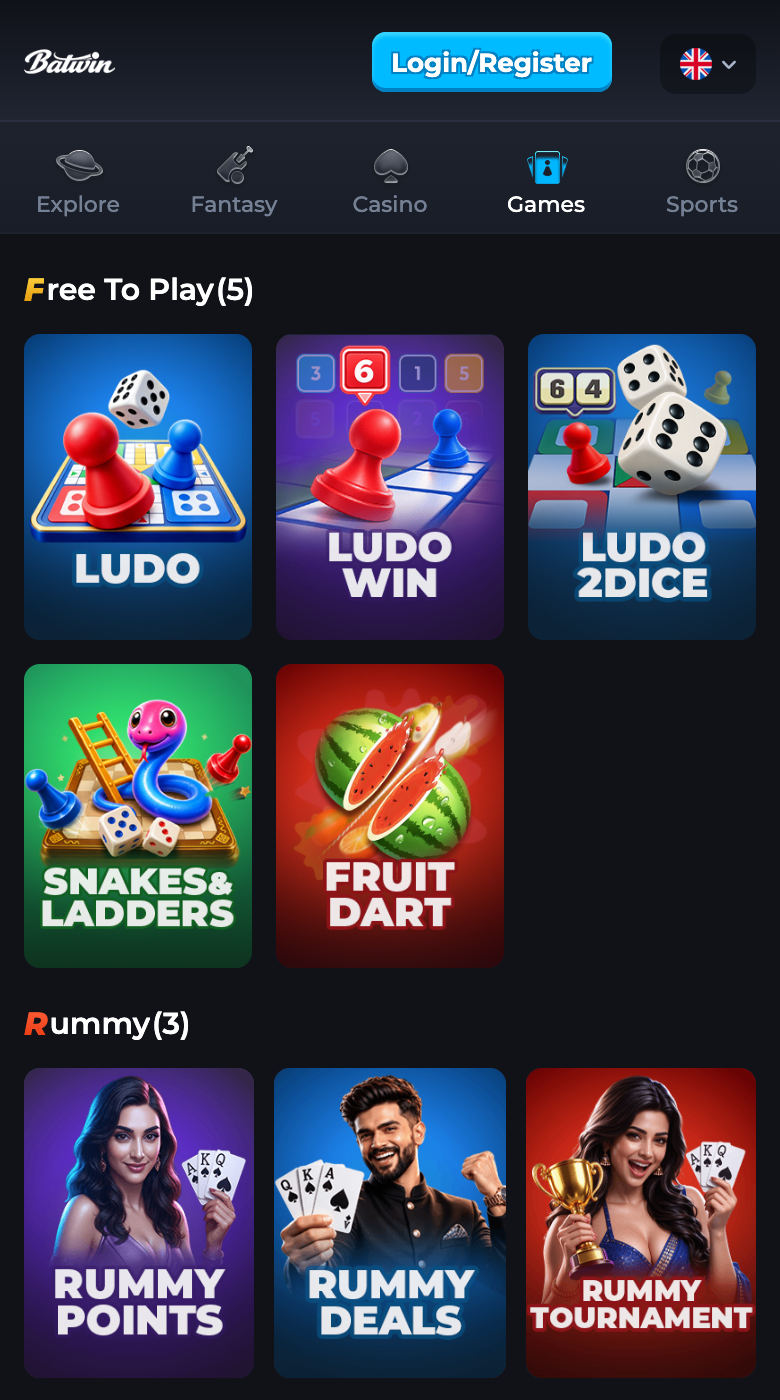
Check the install took
- Settings > Apps > Batwin: version 1.14, package com.btwn.ybt.
- The Games tab should list Ludo, Ludo Win, Ludo 2Dice, Snakes and Ladders and Fruit Dart under Free To Play; they are the no-deposit way to try the app.
- Turn the unknown-sources toggle for Chrome back off if you want: Settings > Apps > Chrome > Install unknown apps.
No install wanted today
The H5 lobby runs the same account in Chrome or Safari: good for iPhones, borrowed phones and work devices. The comparison page lays out what each path does better.
When a step refuses to cooperate
- "Problem parsing the package": short download or an Android below Android 7.0. The fix page sorts both in two minutes.
- "App not installed": storage, an older conflicting install, or the toggle from step 4. Same page, second section.
- Play Protect prompt: choose Install anyway after you have matched size and version against the file sheet.